Power plants tagging
The Tags feature allows you to organize and label power plants across your organisation and shared organisations. Tags help you categorize installations for maintenance schedules, operational status, or any custom grouping you need.
Tags Overview
The Tags are divided into two sections:
1. Tags Shared With Your Organisation
This section displays tags that are owned by other companies but shared with your organisation. You can view and assign these tags to your power plants, but you cannot edit their properties or delete them.
2. Tags Belonging to Your Organisation
This section displays tags that your organisation owns. You have full control over these tags — you can edit their properties, share them with other companies, assign them to power plants, or delete them.
Tag Creation Fields
| Field | Required | Description |
|---|---|---|
| Tag Name | Yes | A descriptive name for the tag (e.g., "Maintenance Required", "Cleaning Scheduled") |
| Tag Color | Yes | A color for the tag badge. Click the color picker to select a color. The preview updates in real time. |
| Owner Organisation | Yes | The organisation that owns the tag. This organisation has full control — editing, deleting, and assigning to its power plants. Defaults to your current organisation. |
| Shared With | No | Other companies that can view and assign this tag to their power plants, but cannot modify the tag properties. |
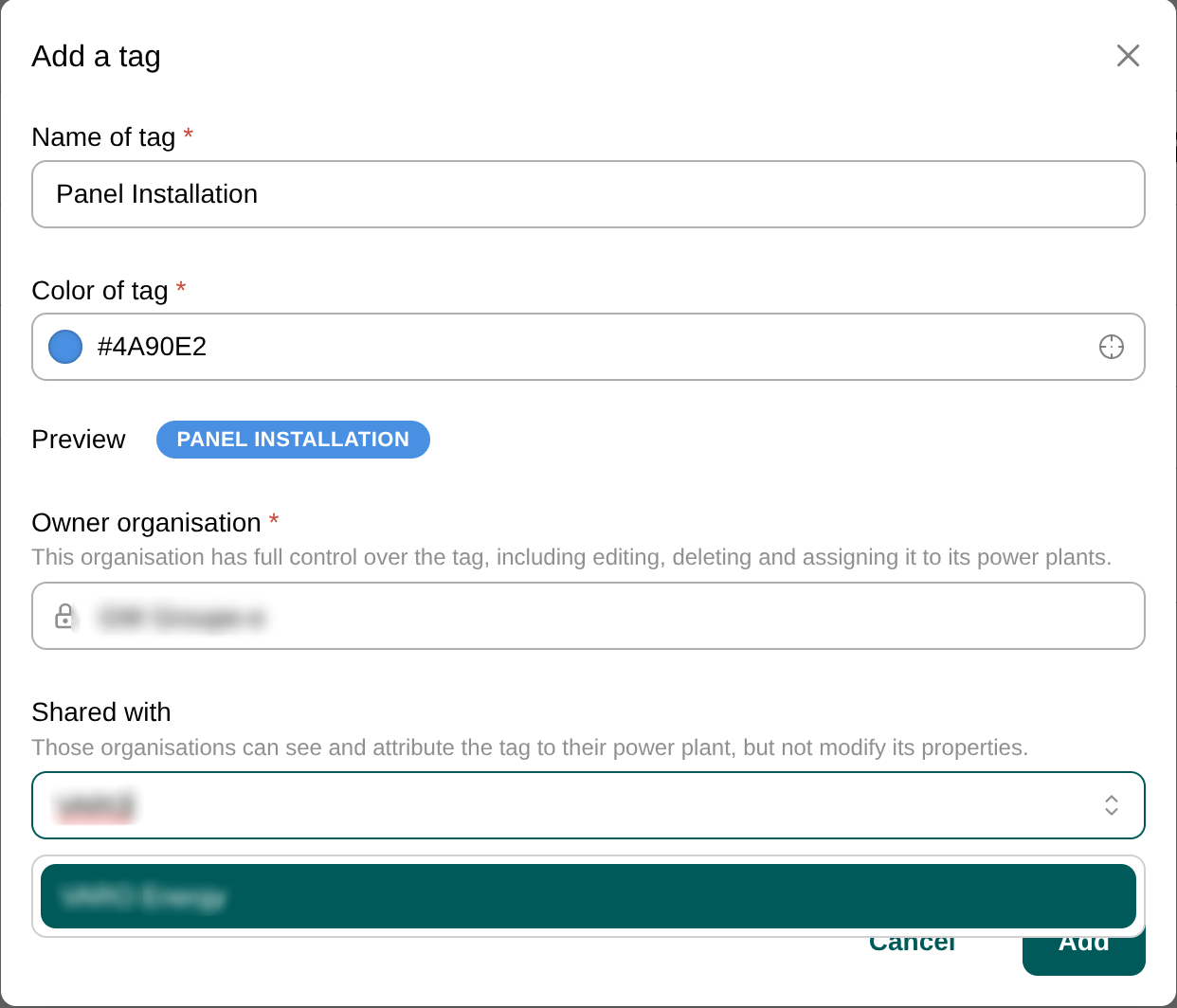
The new tag will appear in your "Tags belonging to [Your organisation]" list.
Sharing Tags with Other Organisations
Tags can be shared across companies, enabling collaborative organisation of power plants.
How Sharing Works
- Owner organisation: Has full control — can edit, delete, and assign to any of its power plants.
- Shared companies: Can view the tag and assign it to their own power plants, but cannot edit the tag name, color, or sharing settings.
To Share a Tag
- When creating or editing a tag, open the Shared With dropdown.
- Select one or more companies from the list.
- Save the tag.
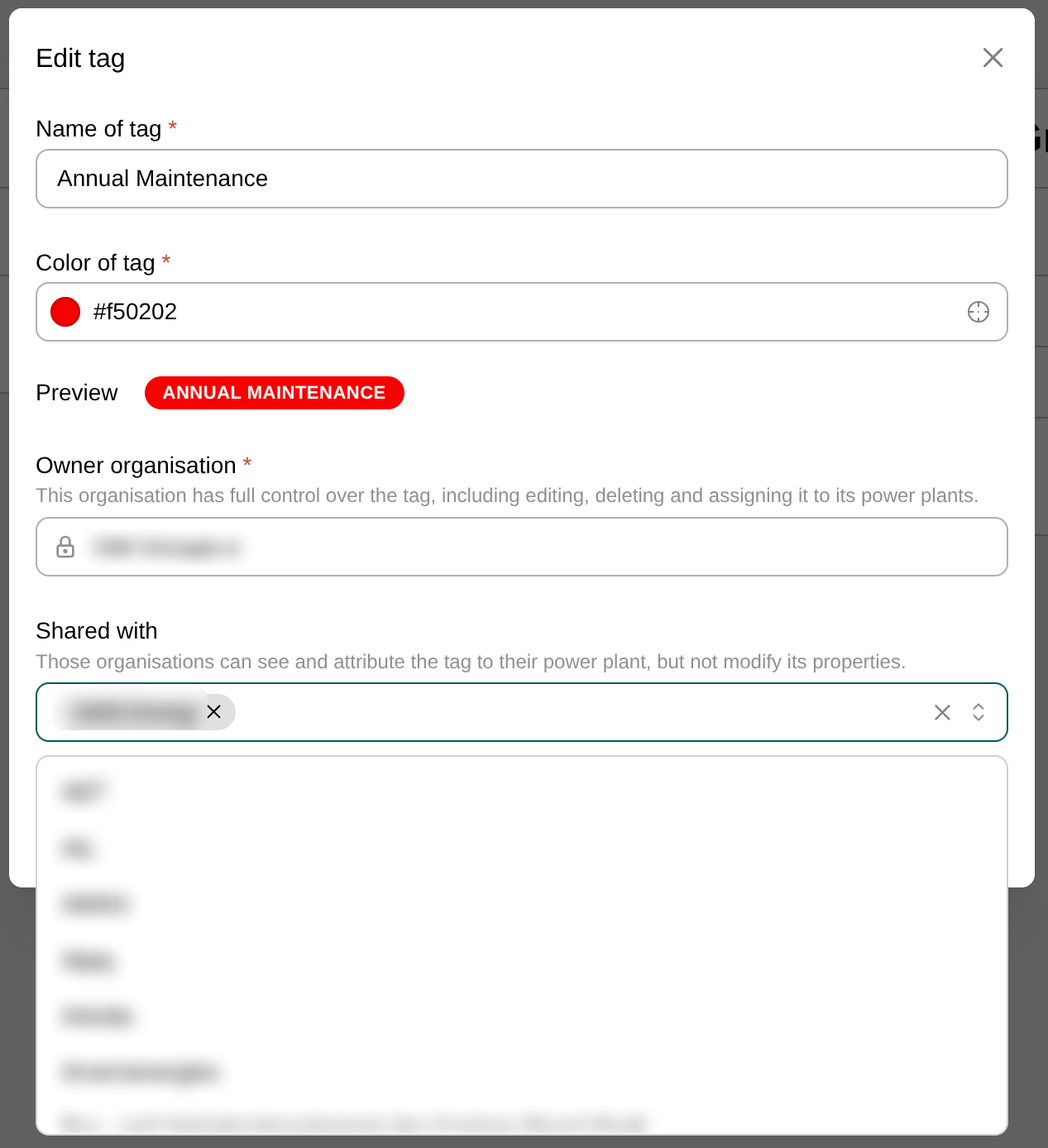
The selected companies will now see this tag in their "Tags shared with [Organisation]" section and can assign it to their power plants.
Assigning Tags to Power Plants
Tags are useful only when applied to power plants. You can assign tags to installations from the Tags page.
To Assign a Tag
- Locate the tag in either the "Shared With" or "Belonging To" table.
- Click the Assign to Power Plants button (tag icon) in the Actions column.
- In the dialog:
- Open the Power Plants dropdown to see all available installations.
- Select the power plants you want to tag. Already-assigned plants will be pre-selected.
- The tag preview is shown at the bottom for reference.
- Click Save to apply the assignments.
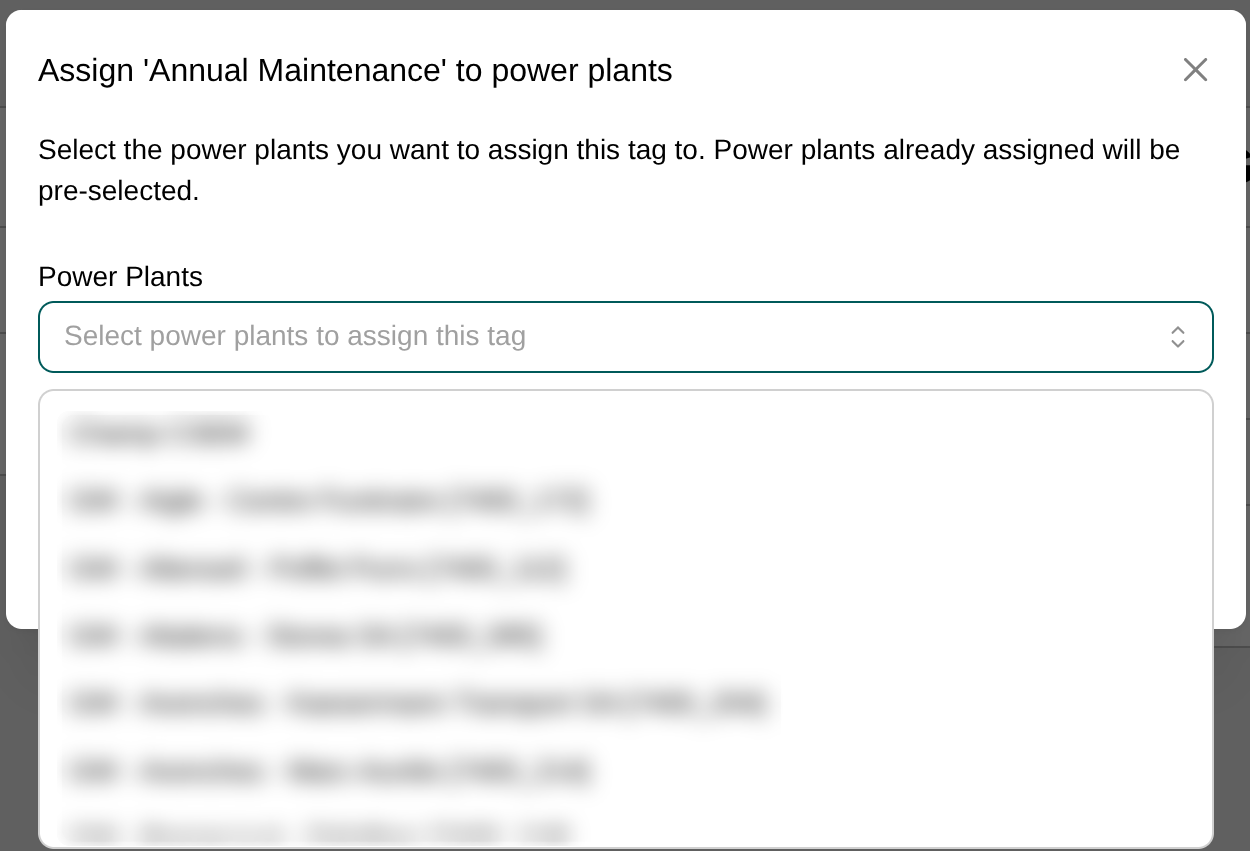
You can also assign tags from the power plant detail pages or directly from the power plants table.
Assigning Shared Tags
Even if a tag is owned by another organisation, you can assign it to your organisation's power plants if the tag is shared with you. This allows cross-organisation collaboration while maintaining clear ownership boundaries.
Cross-Organisation Tag Visibility
The Tags feature supports multi-organisation environments with clear visibility rules:
Example Scenario
- Organisation A (Owner) creates a tag "Cleaning Scheduled" and shares it with Organisation B.
- Organisation A sees:
- "Cleaning Scheduled" in "Tags belonging to Organisation A" with "Shared With: Organisation B"
- Organisation B sees:
- "Cleaning Scheduled" in "Tags shared with Organisation B" with "Owner: Organisation A"
Visibility Matrix
| Action | Owner Organisation | Shared Organisation |
|---|---|---|
| View tag | Yes | Yes |
| Assign to own power plants | Yes | Yes |
| Edit tag name/color | Yes | No |
| Share with other companies | Yes | No |
| Delete tag | Yes | No |
Use cases
- Share a tag like "Maintenance Required" from a parent organisation to its subsidiaries, allowing all companies to label their power plants consistently without giving them control over the tag properties.
- Create a tag and use it on a subsidiary's power plants without sharing it with the subsidiary, keeping the tag private to the parent organisation.
Troubleshooting
| Issue | Solution |
|---|---|
| Cannot edit a tag | Ensure the tag is owned by your organisation. Shared tags cannot be edited. |
| Tag not visible to another organisation | Check that the tag is shared with that organisation in the edit dialog. |
| Cannot assign a tag | Verify that the tag is either owned by your organisation or shared with it. |
| My colleague doesn't see the same tags as me | Tags are organisation-specific. Only shared tags will be visible across companies. You may have different tags visible based on your organisation's ownership and sharing settings. |